Full vs Lite
Both apps stream internet radio from a JSON station feed. The full version adds a sleep timer, AirPlay routing, and unlimited station sources.
| Feature | Multi Radio App | MultiRadio Lite |
|---|---|---|
| Internet radio streaming | ✓ | ✓ |
| ICY / Shoutcast metadata | ✓ | ✓ |
| Lock screen & CarPlay | ✓ | ✓ |
| Bluetooth & AirPlay² | ✓ | ✓ |
| Sleep timer (15 – 180 min) | ✓ | — |
| AirPlay route picker | ✓ | — |
| Station sources | Unlimited | 1 source |
| Price | Paid | Free |
How it works
Station sources
Point the app at any JSON file on the internet (or a local file / folder on your device) and your stations load instantly. Change the JSON and the app picks it up on next launch — no app update needed.
Deep links
Share a multiradio://load?url=… link. Tapping it on any iPhone with the app installed loads your station list instantly — no copy-pasting into Settings.
CarPlay
Full CarPlay support
Browse your station list and start playback right from your car's dashboard. The now-playing screen is pushed automatically when a station starts, showing artwork, title, and artist from the live stream metadata.
Screenshots
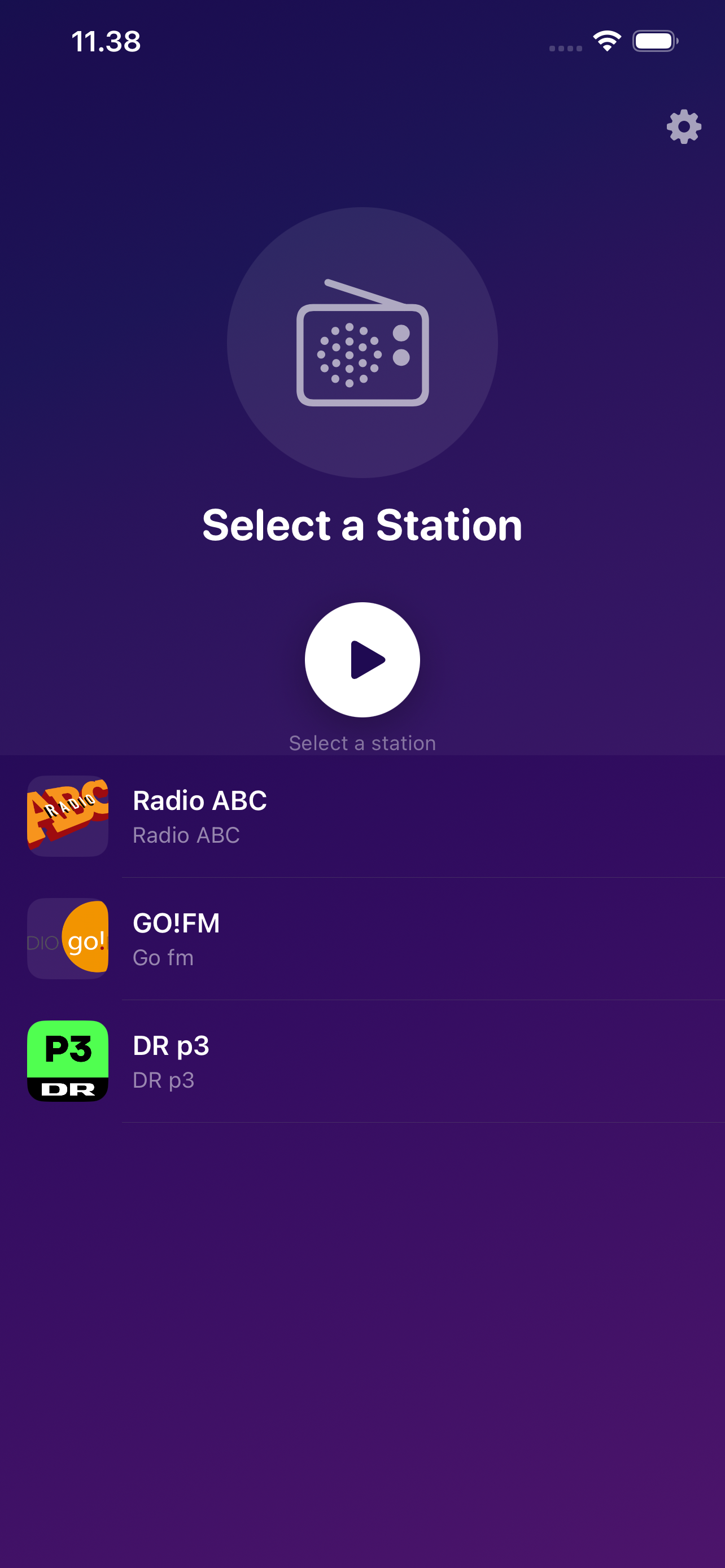
Support & FAQ
How do I add a custom station list?
Host a stations.json file at any public URL and open Settings → Station Sources in the app, then paste the URL. Or use the deep link below to load it with a single tap from a webpage or message.
Load this site's default station list
multiradio://load?url=https%3A%2F%2Fradioapp.jtw.dk%2Fstations.json
Open in Multi Radio App
What is the multiradio:// deep link?
The app registers the multiradio:// URL scheme. A link in the form multiradio://load?url=<percent-encoded JSON URL> tells the app to fetch and use that JSON file as its station source. Build one in PHP:
<?php
$jsonUrl  = 'https://your-server.com/stations.json';
$deepLink = 'multiradio://load?url=' . rawurlencode($jsonUrl);
?>
<a href="<?= htmlspecialchars($deepLink) ?>">Open in Multi Radio App</a>
What audio formats and stream types are supported?
Live streams: MP3, AAC, HLS (.m3u8) over HTTP or HTTPS, including plain-HTTP streams (ATS is open for live radio). ICY/Shoutcast metadata (song title + artist) is read from the stream headers.
Local files: MP3, AAC, M4A, M4B, FLAC, WAV, OGG, Opus.
stations.json format reference
The station feed is a JSON file at any HTTP/HTTPS URL with a top-level station array:
| Field | Type | Required | Description |
|---|---|---|---|
name | string | Yes | Station display name. |
streamURL | string | Yes | Direct URL to the audio stream. |
imageURL | string | Yes | Station logo image URL. |
desc | string | Yes | Short one-line description. |
longDesc | string | No | Longer description in the detail view. |
id | string | No | Stable ID for soundbook chapter progress tracking. |
group | string | No | Groups stations into a named soundbook folder. |
{
  "station": [
    {
      "id":        "my-station-1",
      "name":      "My Radio Station",
      "streamURL": "https://example.com/stream.mp3",
      "imageURL":  "https://example.com/logo.png",
      "desc":      "Great music all day long"
    }
  ]
}
Questions or issues? Email multiradioapp@sconk.dk